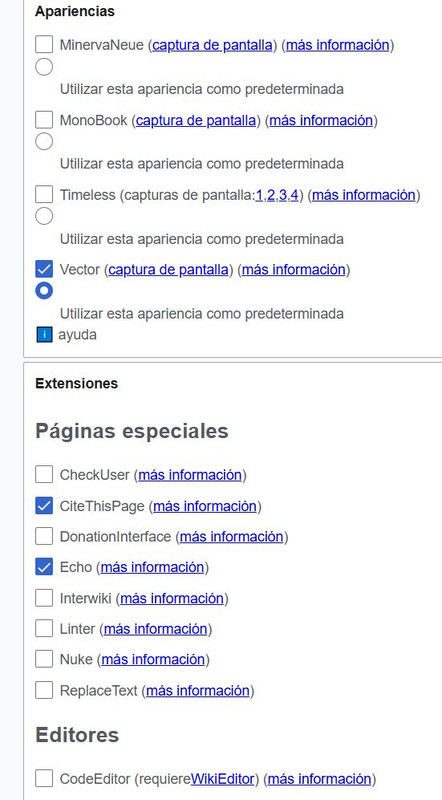
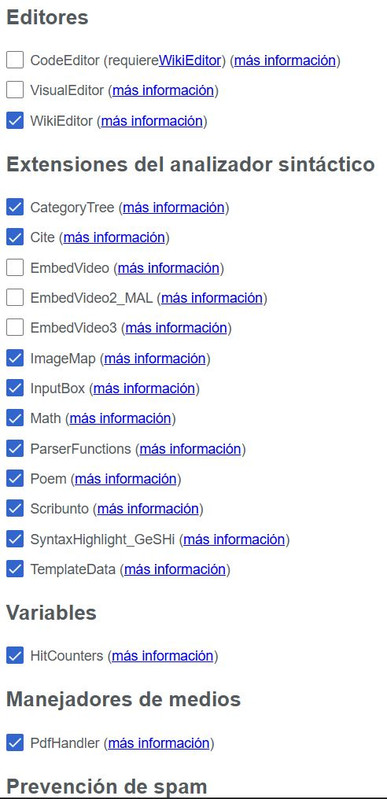
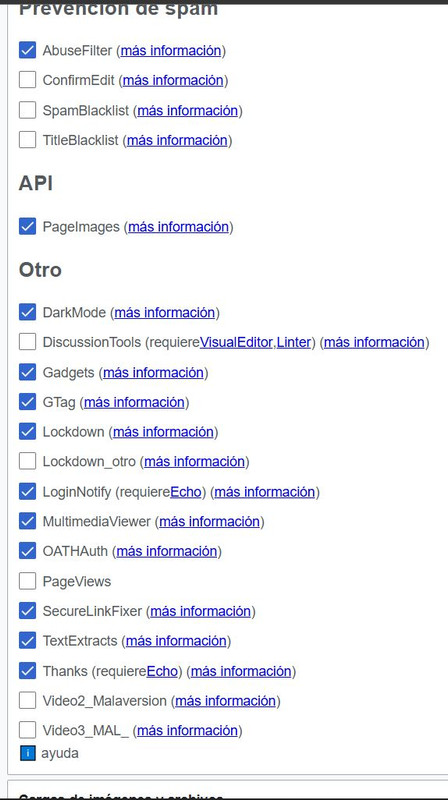
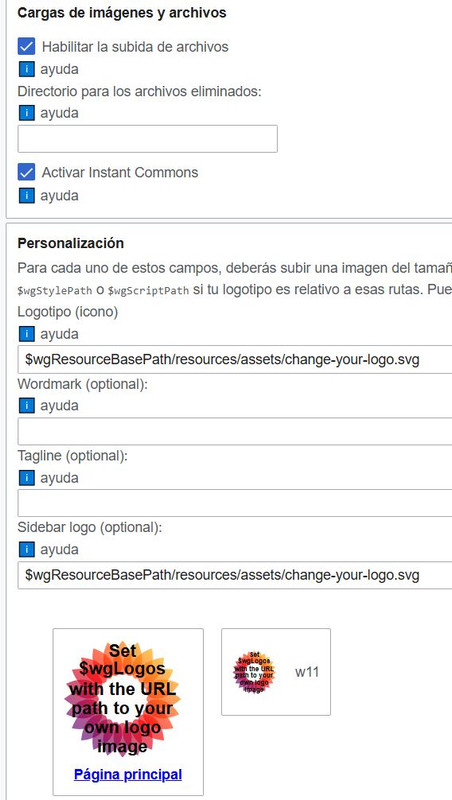
Diferencia entre revisiones de «WikiED WikiFSF Fija»
De FSF
Sin resumen de edición |
|||
| Línea 121: | Línea 121: | ||
== Configura extensiones y más == | == Configura extensiones y más == | ||
: https://i.postimg.cc/R06NLz18/Extension-proto-ED-202603-pag01.jpg | : https://i.postimg.cc/R06NLz18/Extension-proto-ED-202603-pag01.jpg | ||
: https://i.postimg.cc/J0tgGPCH/Extension-proto-ED-202603-pag02.jpg | |||
: https://i.postimg.cc/wjDry1Zc/Extension-proto-ED-202603-pag03.jpg | |||
: https://i.postimg.cc/85zX0tcP/Extension-proto-ED-202603-pag04.jpg | |||
---- | ---- | ||
[[CATEGORY:WIKI]] | [[CATEGORY:WIKI]] | ||
[[CATEGORY:WIKIFSF]] | [[CATEGORY:WIKIFSF]] | ||
[[CATEGORY:ED]] | [[CATEGORY:ED]] | ||
Revisión del 10:36 17 mar 2026
LocalSetting
- Congelamiento de la WikiFSF
$wgGroupPermissions['*']['edit'] = false;
$wgGroupPermissions['*']['createpage'] = false;
$wgGroupPermissions['*']['createtalk'] = false;

$wgGroupPermissions['*']['read'] = true;
$wgNamespaceProtection[NS_TEMPLATE] = ['templateview'];
- En WikiED → LocalSettings.php agregas:
$wgEnableScaryTranscluding = true;
Definir la wiki biblioteca
- Definir la wiki biblioteca
- En el mismo LocalSettings.php:
$wgInterwikiCache = [
    'fsf' => [
        'prefix' => 'fsf',
        'url' => 'http://localhost/wikifsf/index.php/$1',
        'transcludable' => true
    ]
];
Usar automáticamente las plantillas de WikiFSF
- Usar automáticamente las plantillas de WikiFSF (sin crear puentes)
- La idea es que WikiED busque primero sus plantillas y, si no existen, las busque en WikiFSF.
- En MediaWiki esto se logra con namespace fallback.
- En LocalSettings.php de WikiED:
$wgEnableScaryTranscluding = true;

$wgInterwikiCache = [
    'fsf' => [
        'prefix' => 'fsf',
        'url' => 'http://localhost/wikifsf/index.php/$1',
        'transcludable' => true
    ]
];
- Luego agregas un fallback para plantillas:
$wgNamespaceFallbacks[NS_TEMPLATE] = [ 'fsf:Plantilla' ];
- Resultado:
- {{a1|Texto}}
- MediaWiki intenta:
- Plantilla:a1 en WikiED
- si no existe → busca fsf:Plantilla:a1
- Esto hace que WikiFSF funcione como biblioteca automática.
- Ventajas:
- no duplicas plantillas.
- WikiED puede sobrescribir alguna si quiere.
- mantenimiento mínimo.
XAMPP Fast
- Acelerar mucho las wikis locales en XAMPP
- En local puedes activar caches que normalmente no se activan.
- En LocalSettings.php:
$wgMainCacheType = CACHE_ACCEL;
$wgParserCacheType = CACHE_ACCEL;
$wgCachePages = true;
$wgCacheEpoch = gmdate( 'YmdHis' );
- También ayuda activar cache de objetos:
$wgMemCachedServers = [ "127.0.0.1:11211" ];
- Si no usas Memcached puedes usar:
$wgMainCacheType = CACHE_DB;
- Esto hace que:
- wikitexto → HTML → cache
- y la página se sirva casi instantáneamente.
- En local normalmente todo queda muy rápido.
Configuración recomendada completa
- Configuración recomendada completa
- Puedes colocar algo así en LocalSettings.php:
$wgCachePages = true;
$wgMainCacheType = CACHE_DB;
$wgParserCacheType = CACHE_DB;
$wgEnableParserCache = true;
$wgJobRunRate = 0;

$wgFileCacheDirectory = "$IP/cache";
$wgUseFileCache = true;

$wgEnableScaryTranscluding = true;

$wgInterwikiCache = [
 'fsf' => [
   'prefix' => 'fsf',
   'url' => 'http://localhost/wikifsf/index.php/$1',
   'transcludable' => true
 ]
];
- y crear la carpeta:
/cache
en tu wiki.
- ✅ Con esto MediaWiki en XAMPP suele volverse muy rápido, incluso con muchas plantillas.